More control for admins. Fewer manual clean-ups for sales teams.
These updates make it easier to manage users, projects, and bookings — while reducing errors and manual follow-ups.
Better admin visibility & control
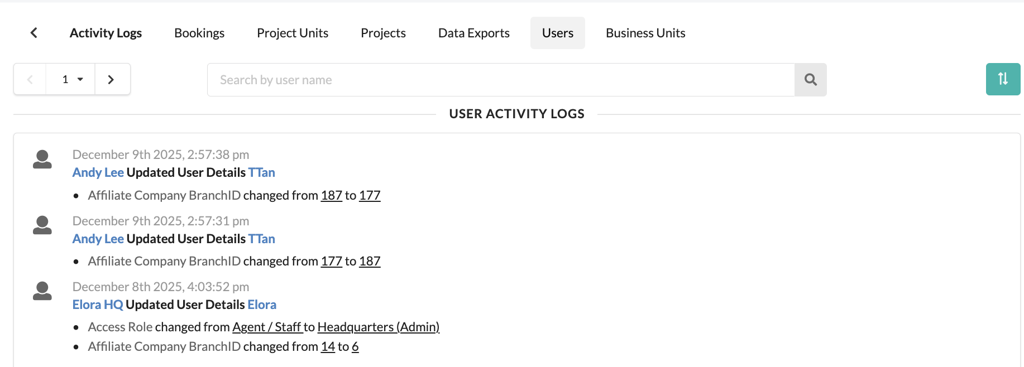
Admins now get clearer activity logs for user and business unit changes. This makes it easier to track who changed what, and when — especially useful for audits and internal reviews.
Self-service user access setup
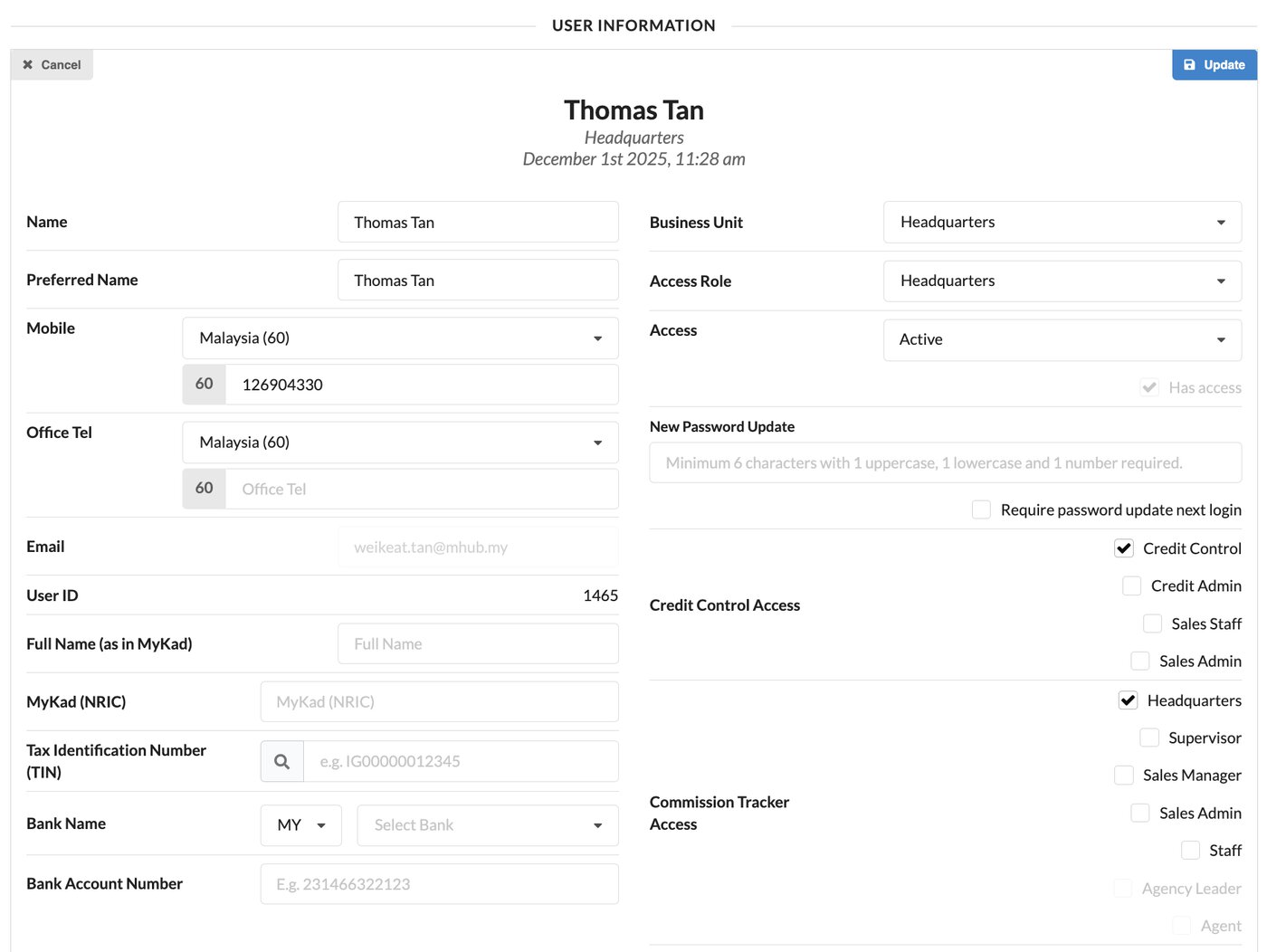
HQ and Admin users can now assign access for Commission and Credit Control teams directly when creating or updating users. No more back-and-forth with support just to get access right.
Cleaner project and reporting views
Deleted projects are now fully removed from the Overall Project view and Loan Tracker. This keeps reports clean and avoids confusion from outdated data.
More banks supported for bookings
Sales teams can now select Aeon Bank, KAF Digital Bank, and Ryt Bank during the booking process.
2. Smarter Booking & Contract Handling
Automatic lawyer cancellation for expired bookings
When a booking officially expires, the system will now automatically cancel the lawyer assignment in the SPA Tracker — reducing missed steps and manual corrections.
Affordable housing reservation control
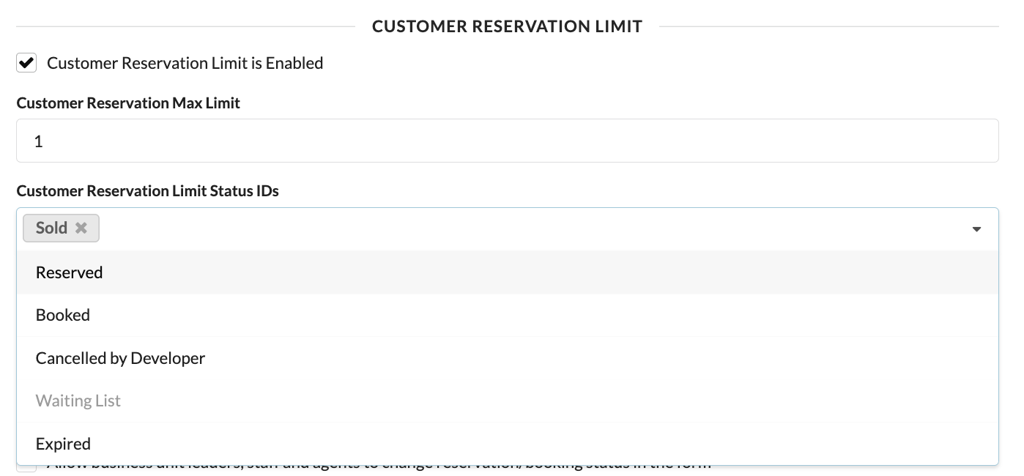
For projects like Rumah WIP, developers can now decide whether to enforce customer reservation limits using a simple toggle in Project Settings. You stay compliant without over-restricting sales.
Stability & accuracy improvements
Fixed CRM autofill issues for non-NRIC identity types
Corrected pricing calculations where disabled formulas were still affecting totals
Improved activity log filtering accuracy
Enforced image upload limits to keep the system fast and stable
CREDIT CONTROL UPDATES
Overview
We've strengthened the internal structure behind Credit Control so the system behaves more consistently across projects, invoices, and integrations. This reduces the kind of edge-case issues that usually show up as "random" bugs or mismatched data, giving teams a smoother experience when managing collections.
1. More reliable transaction offsets and balances
Transaction offset handling has been cleaned up to remove outdated and duplicate records. Unallocated amounts can now be checked more reliably, making it easier for finance teams to track what's outstanding and avoid reconciliation headaches.
2. Smoother invoice approvals
Batch invoice approval now follows a stricter and more predictable sequence based on project, unit, document number, and document date. This ensures invoices are approved and posted correctly, especially when syncing with enterprise systems.
3. Improved bulk invoice processing
Bulk invoice processing has been streamlined to reduce errors during large invoice runs. This improves reliability when generating or approving invoices at scale, particularly during peak billing periods.
ACCOUNTING UPDATES
1. SST Tax Report (Submission-Ready)
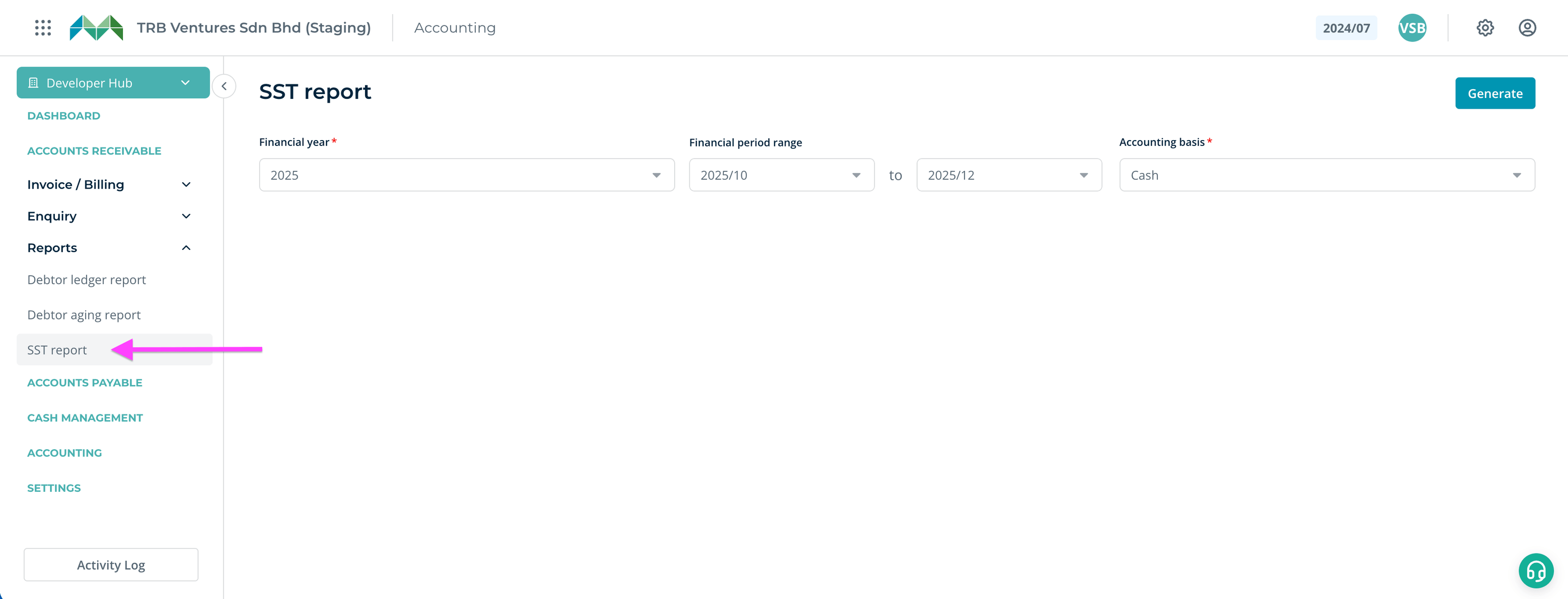
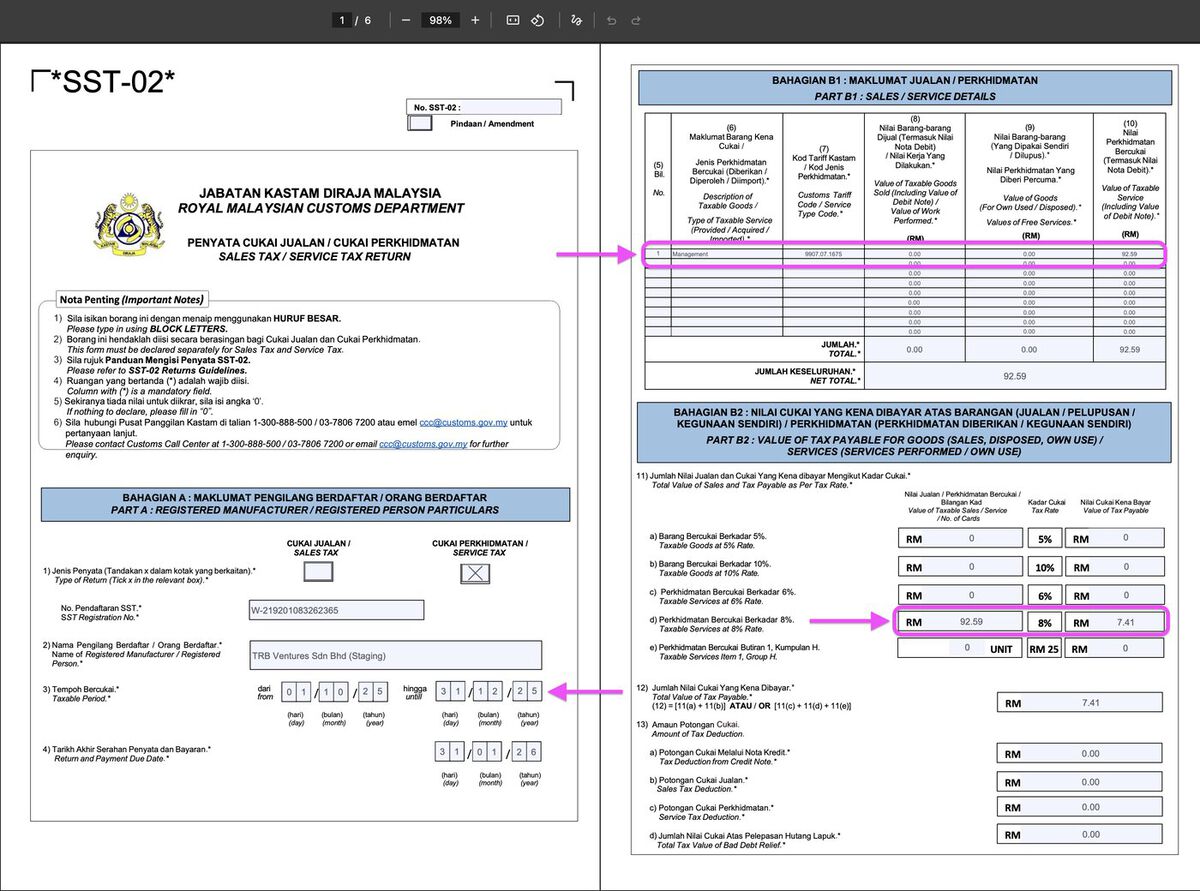
Finance teams can now generate an SST-02 tax report directly from MHub, with taxable amounts, collections, and figures structured in a submission-ready format. This reduces the need to manually compile data across invoices and reports before filing.
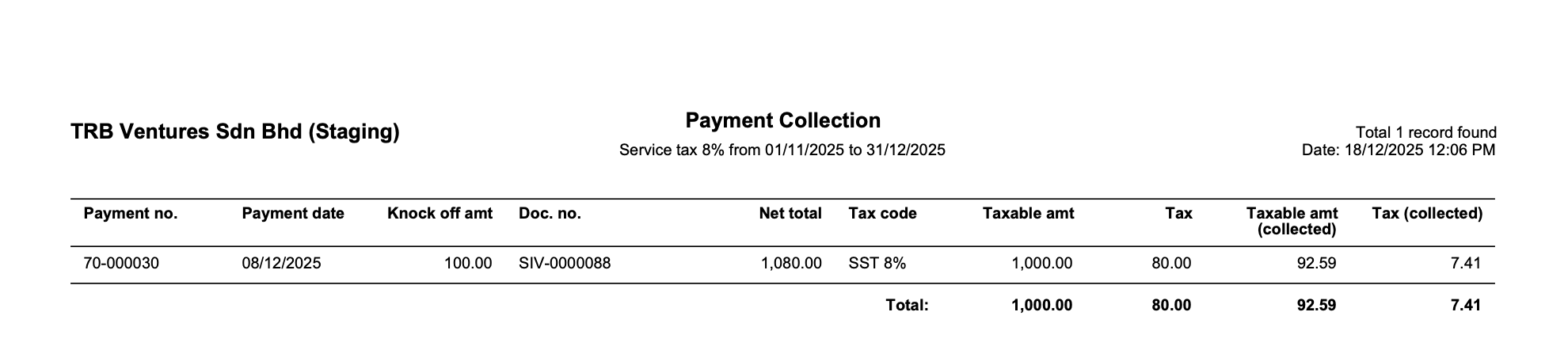
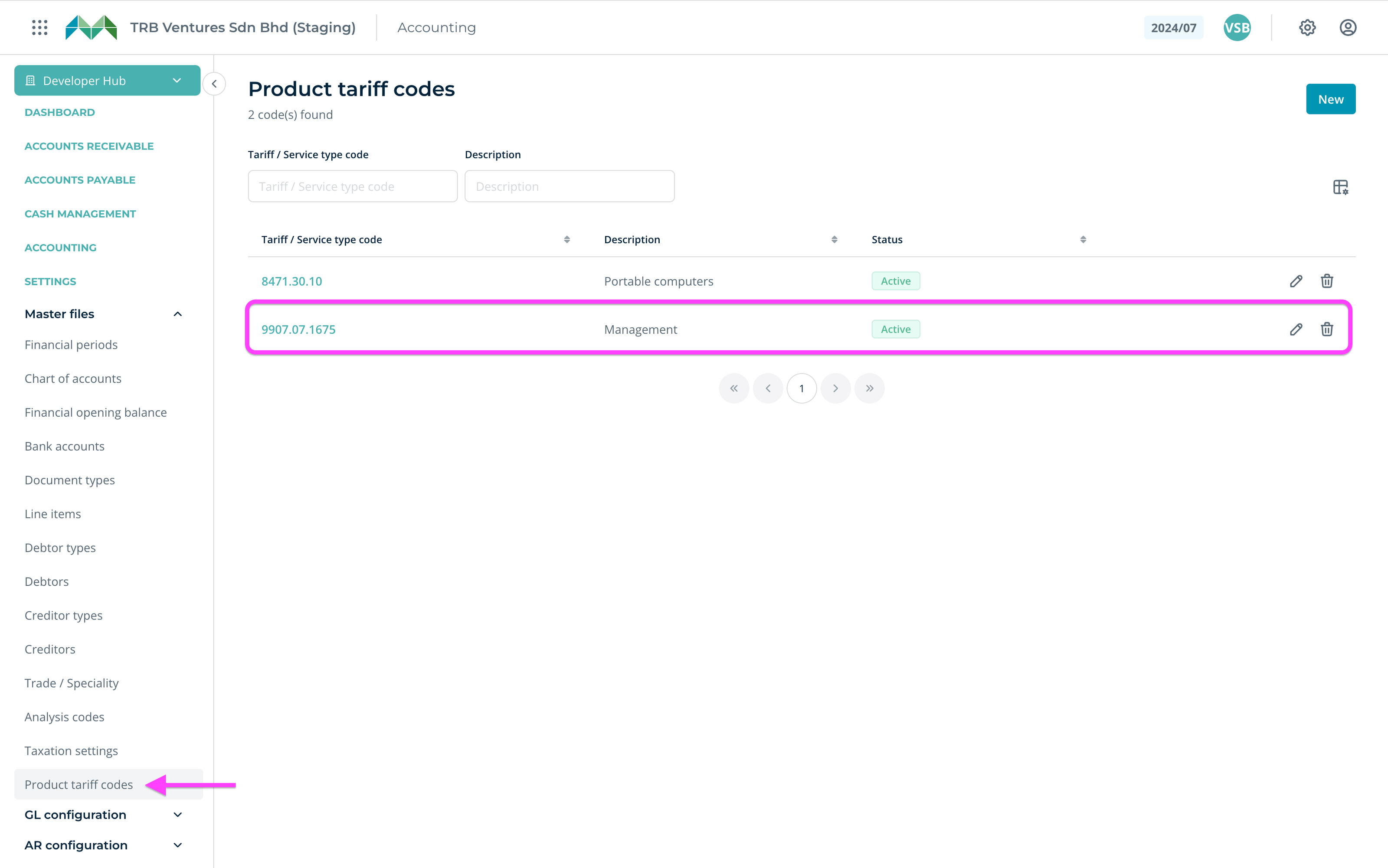
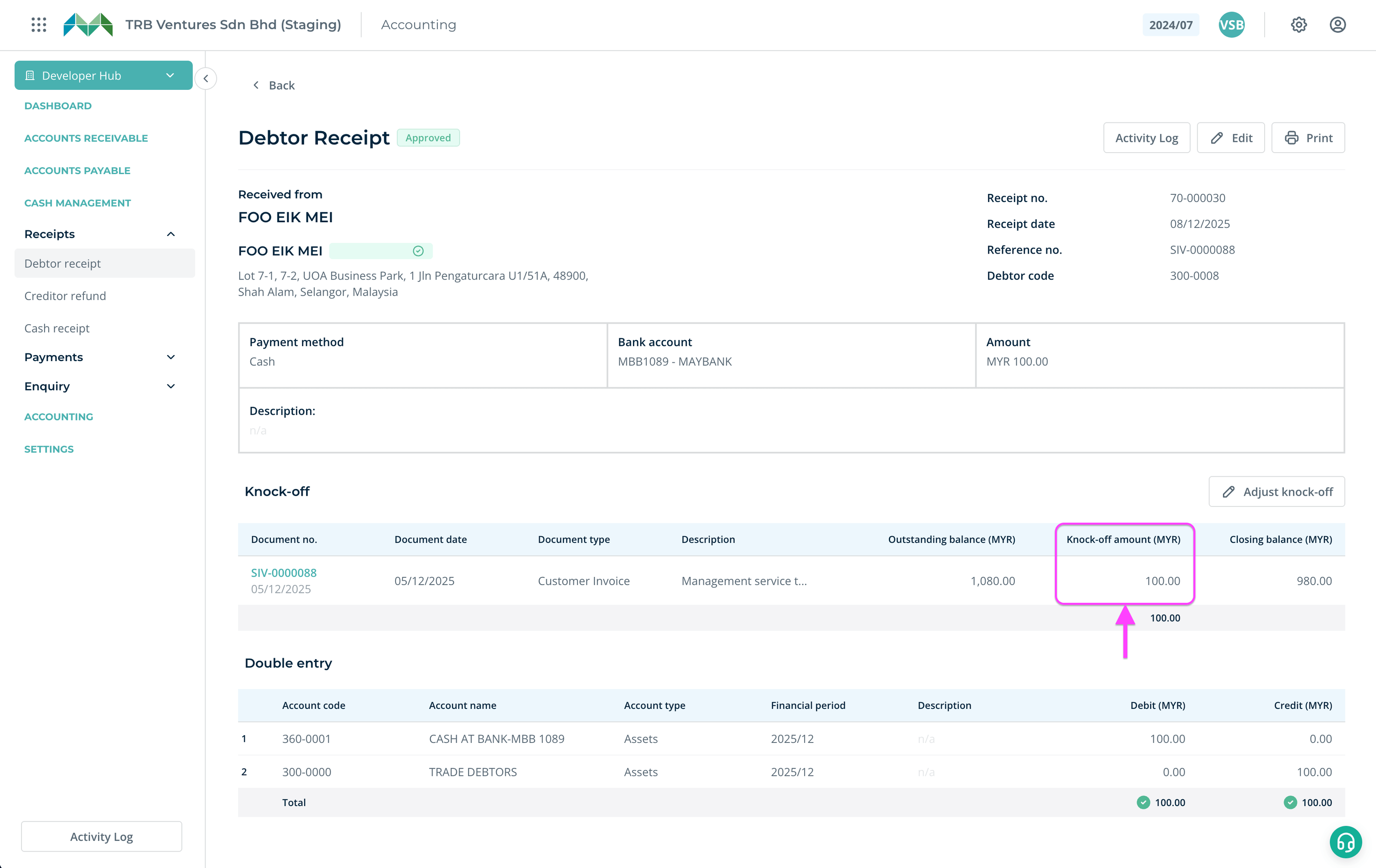
Go to Accounts Receivable > Reports > SST reportDownload SST-02 submission PDF file with taxable amount auto-populated and edit if needed.List of collected payments are included in the submission PDF, grouped by tax code.Make sure you have Product tariff codes setup in your Master files.Collected tax amount are defined from the knock-off amount of your debtor receipts.
2. More Flexible Posting for Backdated Transactions
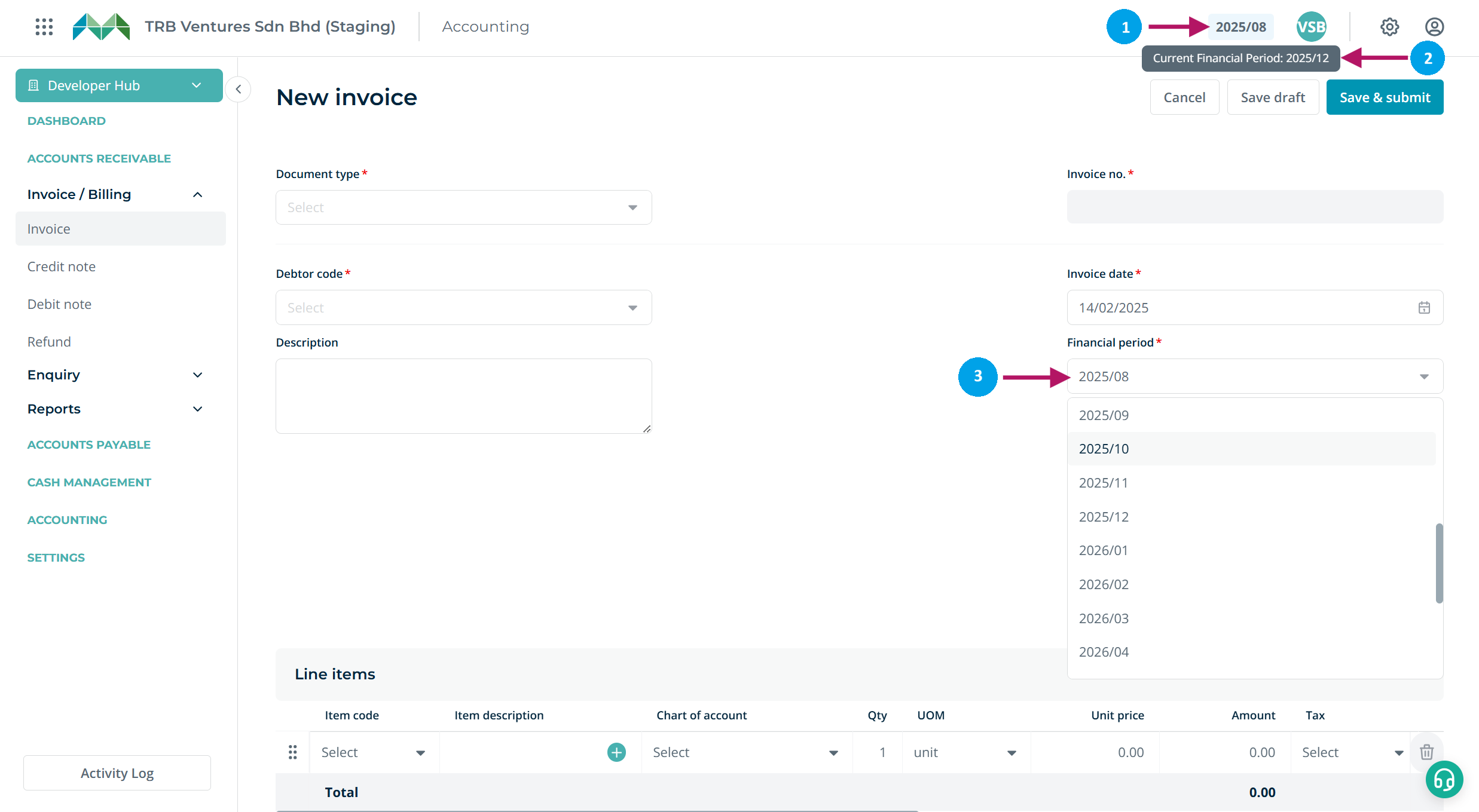
When recording backdated invoices or adjustments, users can now select the appropriate financial period directly, as long as it falls within an open period. This removes unnecessary requirements for historical entries and gives finance teams more control when handling clean-ups, adjustments, or late entries.
3. Document-Level Aging Reports for Receivables & Payables
You can now generate a dedicated aging report that breaks down aging of receivables and payables by individual document. This lets finance teams clearly see which invoices are outstanding, how long each one has been overdue, and export the report for follow-ups, reviews, or management reporting.
4. Bulk Ledger Printing for Audits & Reviews
Multiple debtor or creditor ledgers can now be printed in one go, instead of exporting each account individually. This makes audit preparation and internal reviews significantly faster.