Credit Control Just Got Smarter: Key Updates to Boost Your Workflow

Product
Credit Control
Date

Classification code in transaction type setting

To ensure LHDN compliance and smoother e-Invoice integration, the Classification Code has been moved to the Transaction Type level.

This update improves data accuracy and allows easy bulk edits across multiple transaction types.
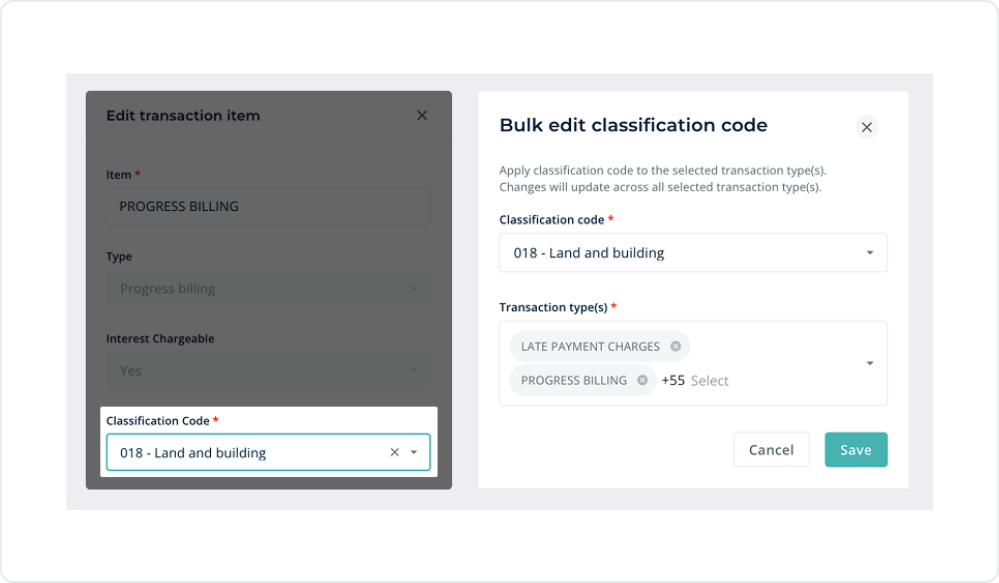
Classification Code field moved to Transaction Type settings
Edit Classification Code from Transaction Type settings - with bulk edit support

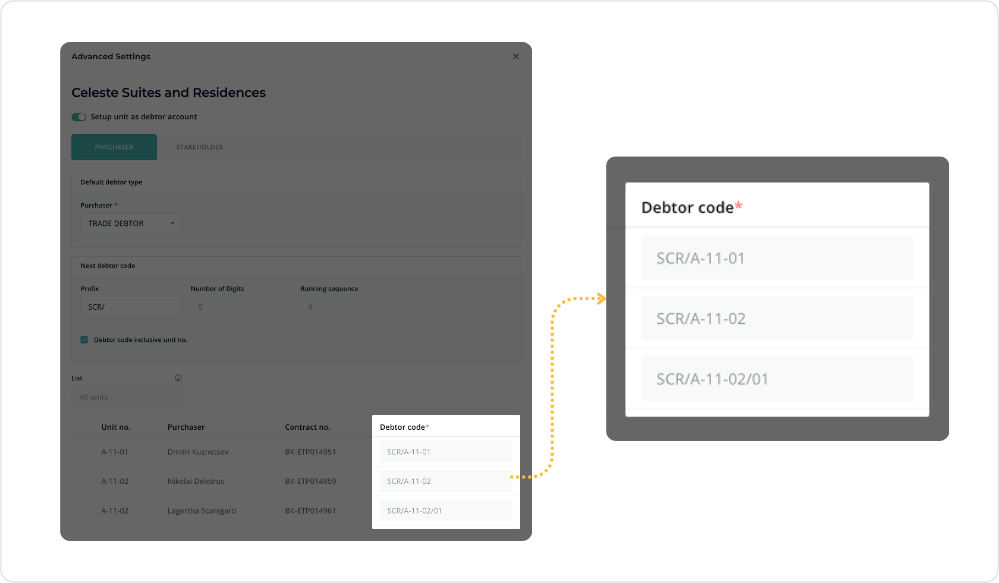
Debtor code disabled in FIE* (for MHub Accounting Users)

To enhance system stability and ensure smoother financial integration, the Debtor Code field has been disabled for users connected to MHub Accounting.

The system will now auto-generate debtor codes automatically — reducing manual entry and improving data consistency.

Debtor Code field shown disabled
Debtor Code field is now disabled.

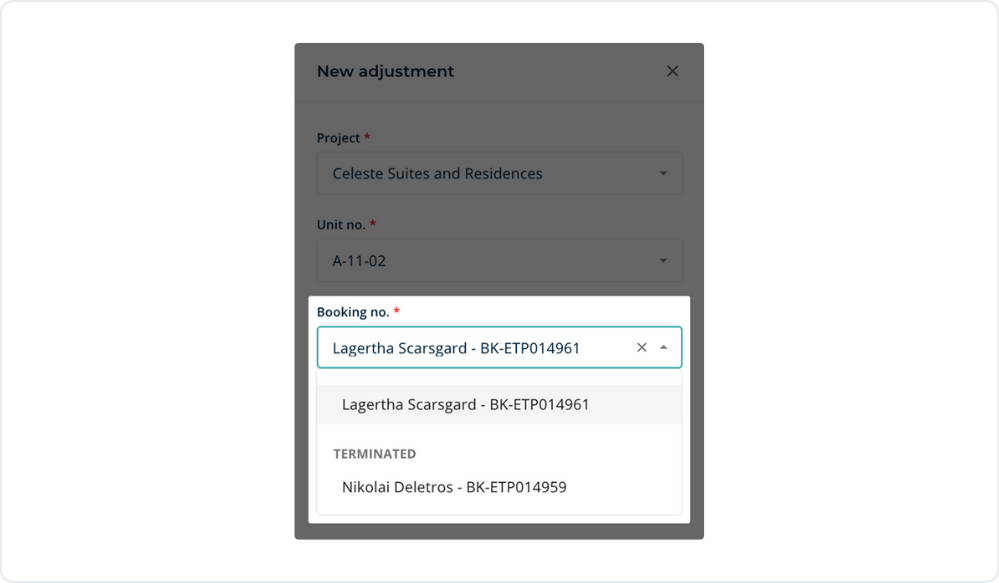
Defaulted booking no. field

To enhance user experience, the Booking Number field in the Billing and Collections module will now automatically default to active bookings.

This small improvement saves time and reduces selection errors, ensuring a smoother workflow.

Booking No. field automatically defaulted to the current active booking
Booking No. will now automatically default to the current active booking

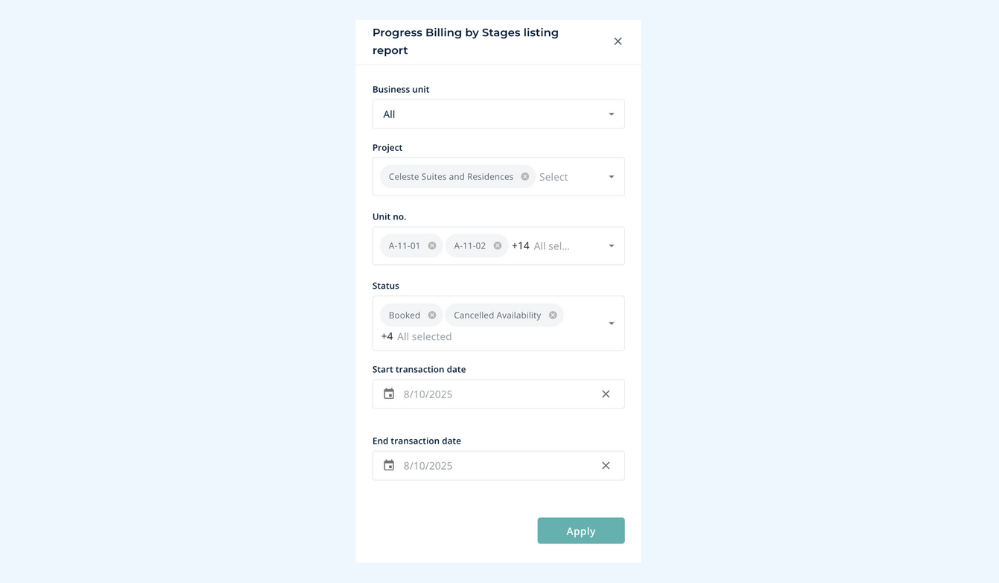
Progress billing by stages report

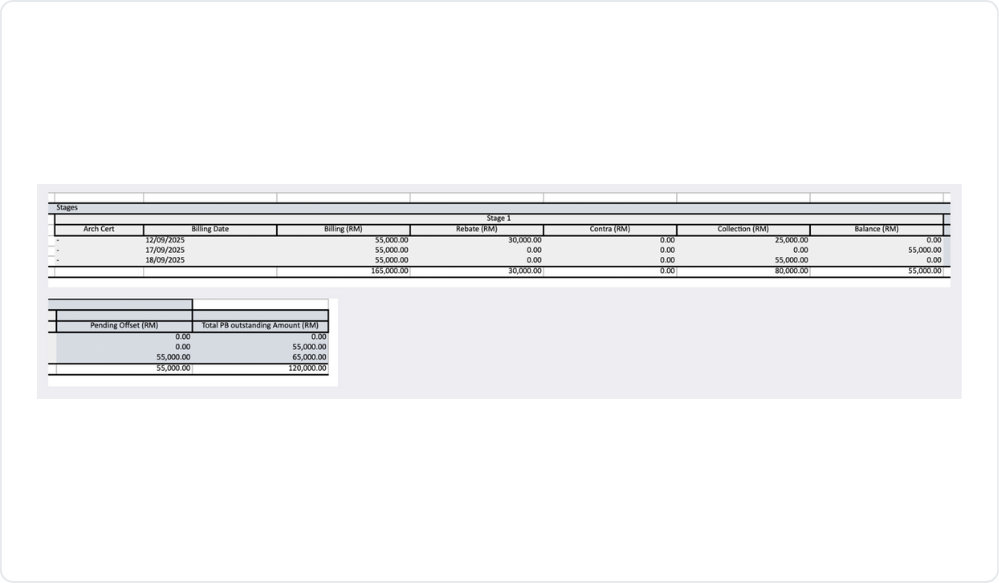
We've enhanced the Progress Billing by Stages report for faster performance and a clearer, more detailed layout.

These improvements make it easier to track billing progress and gain quick visibility into project status.

Progress Billing by Stages report overview
Detailed layout of the Progress Billing by Stages report
Screenshot of sample Progress billing by stages report

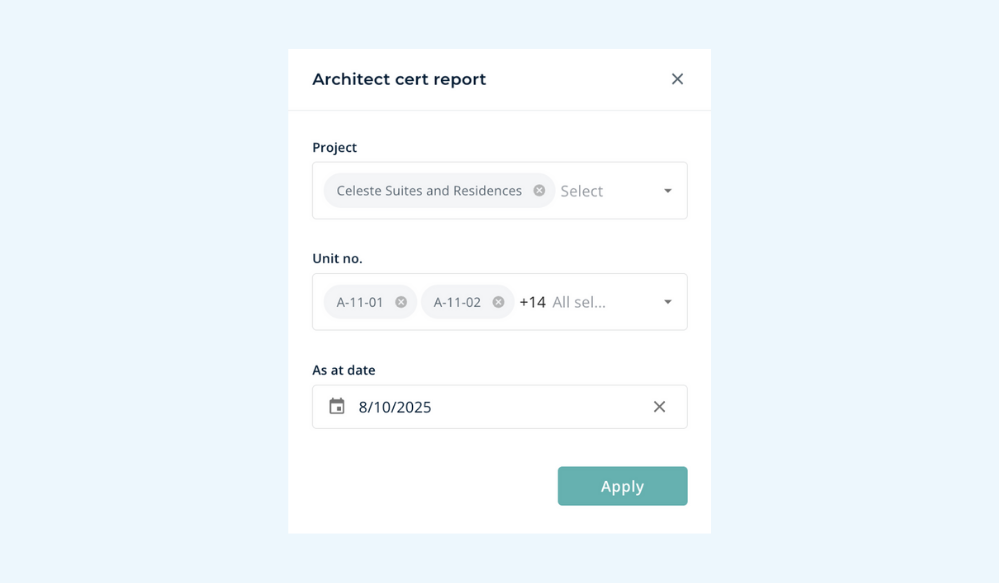
Architect cert report

Introducing a new Architect Cert Report — designed to help you track construction progress with ease.

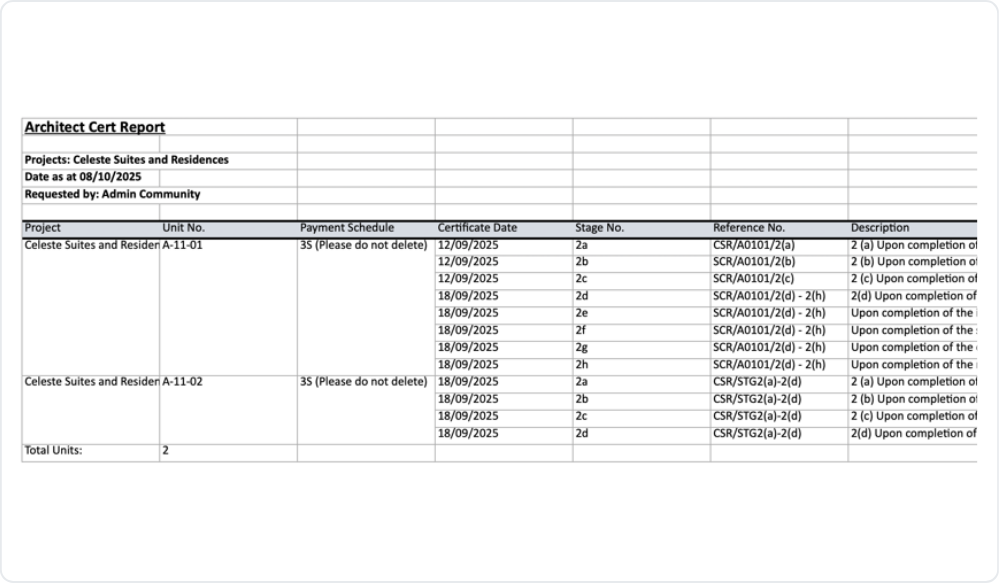
Quickly view which construction stage each unit has been completed up to, all in one report.

Architect Cert Report showing construction stage per unit
Sample Architect Cert Report detail view
Screenshot of sample Architect Cert Report