🎉 Fresh UI Update
The Showroom interface just got a lot friendlier — with small but powerful upgrades that make everyday tasks smoother and more visual.
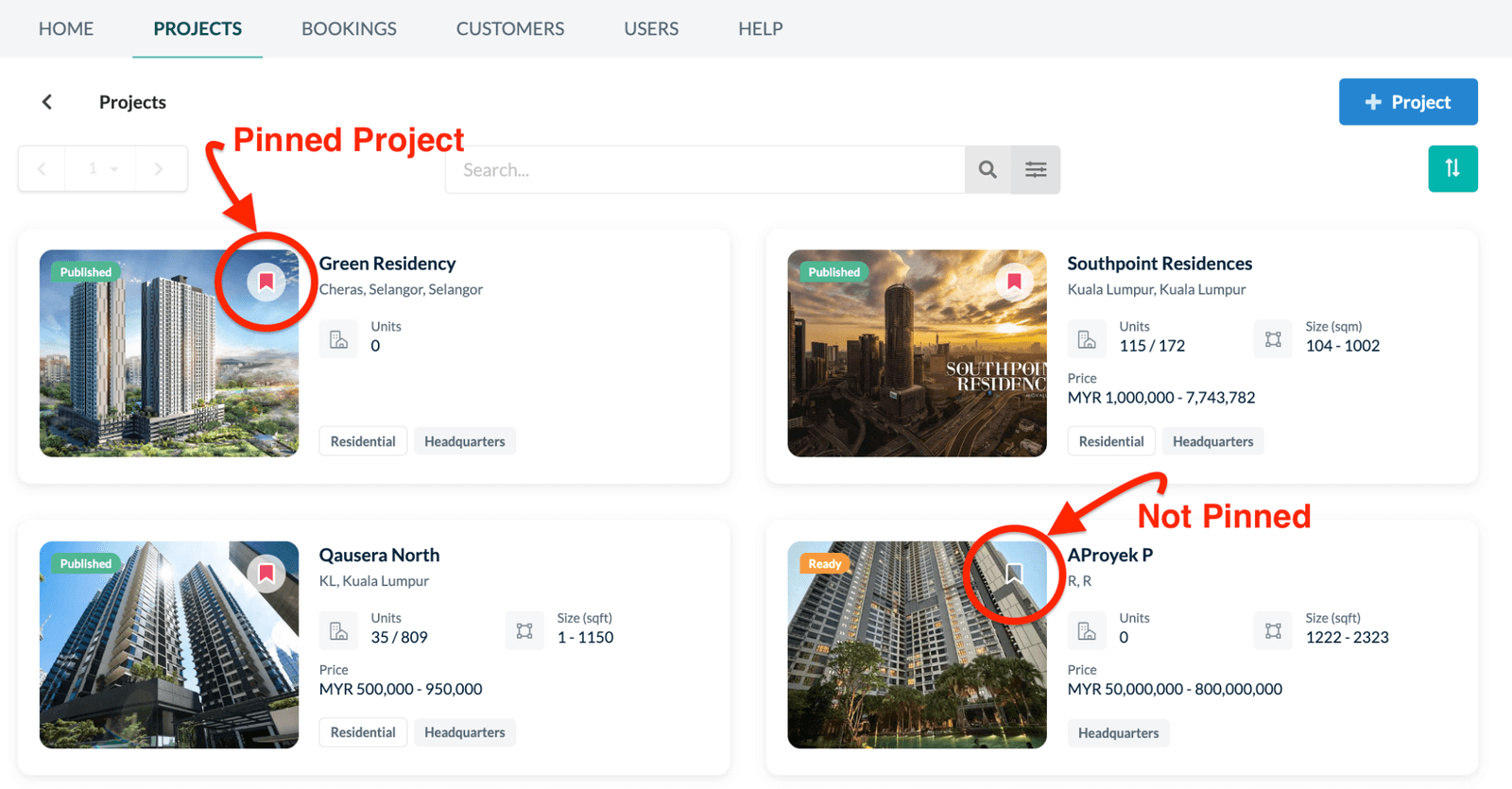
Pin your favourite projects
You can now pin up to 6 projects to the top of your Project Page for quick access.
Easier booking navigation
The Booking List now highlights the transaction row you're browsing — making it easier to track your current selection.
New Customer List View
View all customers in a clean list format for easier browsing and management.
Auto-close date selector
The calendar pop-up will now auto-close once a date is selected.
New Property Category
Added "Service Apartment" to the property type dropdown.
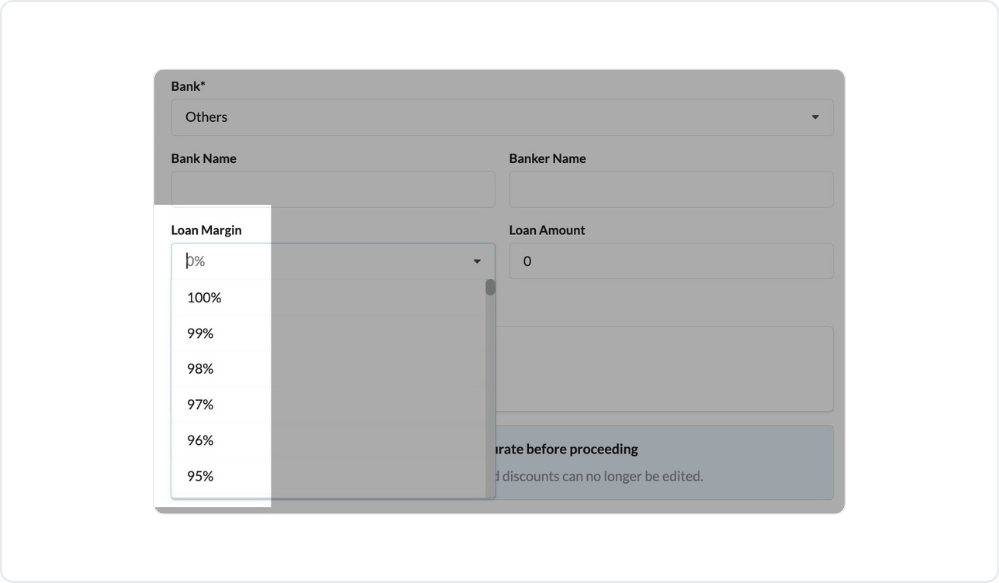
Loan Margin sorting
Loan Margin % in the Sold pop-up is now arranged from high to low for quicker reference.
👍 Functional Improvements
Several quality-of-life improvements are now live to make bookings, validation, and buyer details handling even smoother.
Credit Check
The page and function have been moved to CRM (hidden from Showroom).
Generic TIN Support
Now allowed for individual buyers using passport or military ID.
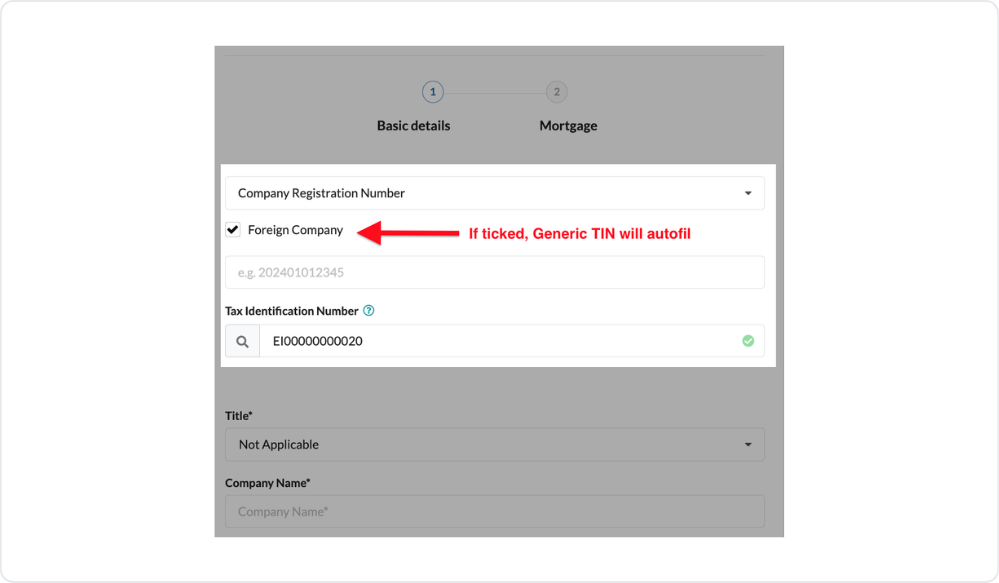
Foreign Company Checkbox
Added during booking — this lets the Generic TIN autofill automatically for validation.
Custom Field Format Validation
You can now set custom input fields with validation to ensure data is keyed in according to your preferred format.
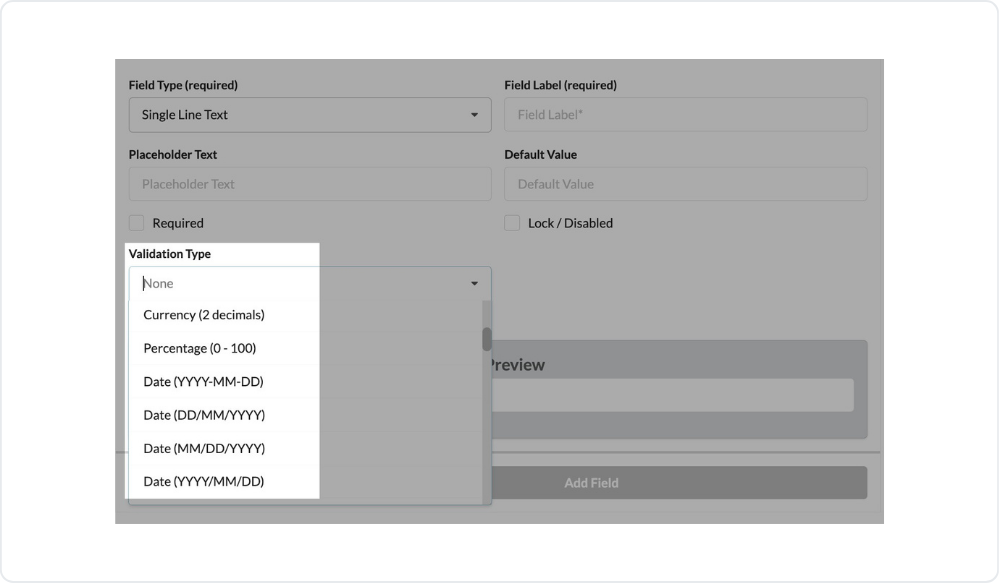 Custom Field Format Validation: You can now set custom input fields with validation to ensure data is keyed in according to your preferred format.
 Approved Date Selection
You can now choose the Approved Date when changing a status to Booked.
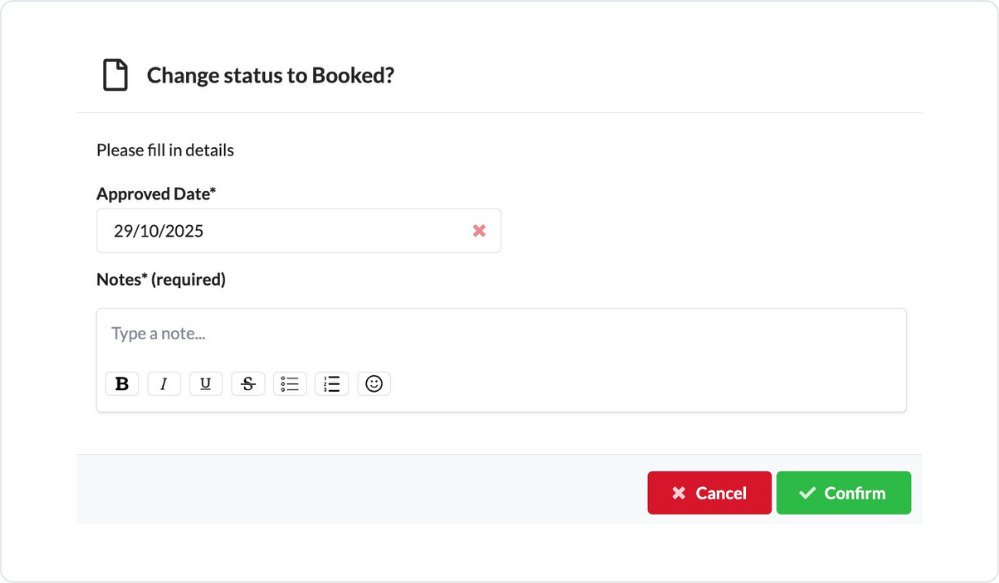 Approved Date Selection: You can now choose the Approved Date when changing a status to Booked.
 SPA Signing & Stamping Dates
Editing is now enabled in Edit Booking.
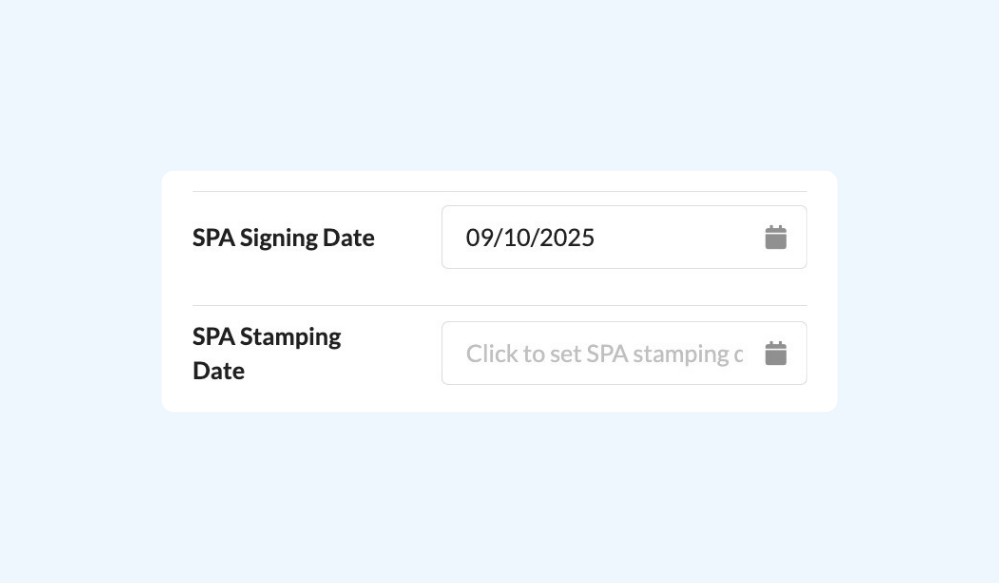 SPA Signing & Stamping Dates: Editing is now enabled in Edit Booking.
 📈 Report & Activity Log Enhancements
We've expanded activity tracking and reporting to give HQ users and project teams deeper visibility into system usage and booking actions.
Added Users and Business Unit tabs to Activity Logs (Homepage) for HQ role.
Added Activity Logs for Business Unit page.
Added "Booking Cancellation Reason" to Booking Report.
Added Created At, Last Login At, and Last Updated columns in Users (Excel/CSV export).
Added Search Filter to Activity Logs.
Improved User Activity Logs to include all actions with proper naming conventions for better tracking.
⭐ New Advanced Print Form Templater
We've upgraded the Print Form Template system to give you more flexibility and accuracy in document generation.
Updated the Merge-tag Dictionary & How-To Guide to include all new additions.
Added Compare Latest Date function.
Added merge-tags related to Banker and Lawyer fields.
Updated file naming format for template downloads: <booking_code> - <template_name>.pdf
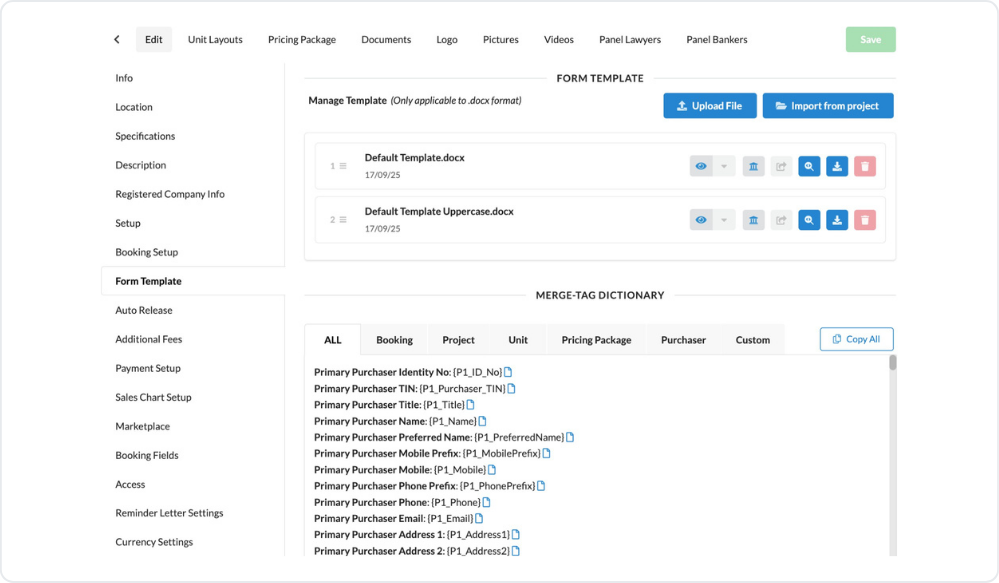
Cleaned up custom field merge-tags containing unsupported symbols.
🔗 Showroom ↔ Credit Control Integration
We've enhanced how Showroom connects with Credit Control to ensure data consistency between booking and financial stages.
Added SPA Signing Date & Stamping Date during status change to Sold.
Prevented purchaser changes once a unit is marked as Sold.
🧑💻 Performance
Improved loading speed in the Aging by Banker report for a smoother reporting experience.